
TL;DR:
- SMBs can achieve 50-70% process automation within the first 30 days of pilot programs.
- AI workflow optimization reduces manual errors, speeds up processes, and scales operations without more staff.
- Starting with high-volume, rule-based tasks and measuring progress ensures successful AI adoption.
Most small business owners assume AI-driven workflow optimization is reserved for enterprise giants with deep tech budgets. That assumption is costing them. 50-70% automation of common processes is achievable within the first 30 days of piloting AI workflows, even for lean SMB teams. This guide cuts through the noise. You will get a clear definition of AI workflow optimization, a look at how these systems operate in real business environments, a side-by-side comparison with manual approaches, and a practical 30-60-90 day roadmap to get started without wasting time or money.
Table of Contents
- What is AI workflow optimization?
- How AI-powered workflows operate in small businesses
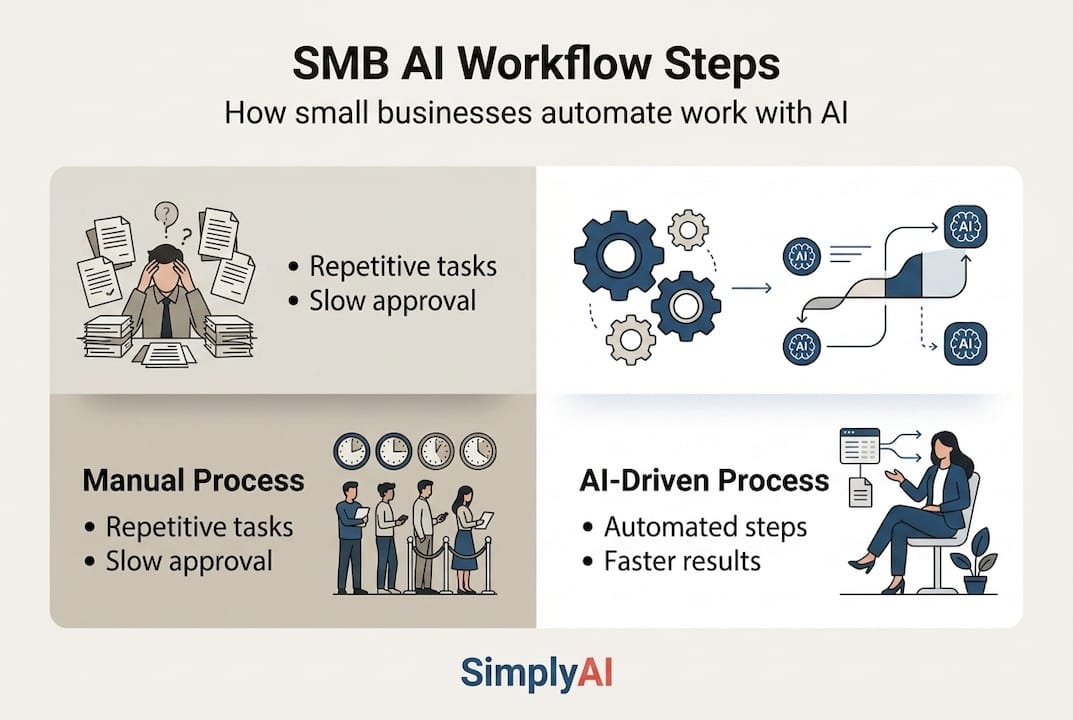
- Comparing manual vs. AI-driven workflows
- Getting started: Practical blueprint for SMBs
- Why most SMBs get stuck—and what actually works
- Unlock AI workflow optimization for your business
- Frequently asked questions
Key Takeaways
| Point | Details |
|---|---|
| Fast automation gains | AI can automate over half of SMB processes in as little as 30 days. |
| Focus on practical pilots | Start with simple, repetitive workflows to realize quick wins and minimize risk. |
| Measure what matters | Track cycle time, error rate, and coverage to ensure real improvements in efficiency and quality. |
| Start with human in the loop | Let AI handle routine tasks with human approval first, then expand autonomy as results improve. |
| Scale thoughtfully | Use a phased blueprint to pilot, refine, and expand AI optimization across your business. |
What is AI workflow optimization?
At its core, AI workflow optimization means using artificial intelligence to automate, streamline, or meaningfully enhance the business processes your team runs every day. It is not about replacing people wholesale. It is about removing the friction, delays, and errors that accumulate when humans handle repetitive, data-heavy tasks manually.
Understanding the workflows step-by-step guide helps clarify what these systems are actually made of. Every AI-powered workflow is built from a handful of core components:
- Triggers: An event that kicks off the workflow, such as a new lead form submission or an incoming invoice.
- Data normalization: Raw input gets cleaned and structured so the AI can reason over it reliably.
- LLM reasoning agents: Large language models that analyze data, make decisions, and generate outputs.
- External tools: Integrations with your CRM, email platform, ERP, or ticketing system.
- Human-in-the-loop approvals: Points where a human reviews or confirms before the workflow proceeds.
As AI workflow architectures confirm, these five elements work together to create processes that run autonomously while keeping humans informed.
"The goal is not full automation on day one. It is progressive autonomy, where each phase builds confidence and expands the system's scope."
High-value use cases for SMBs include marketing lead enrichment, sales outreach sequencing, support triage, data extraction from documents, invoice processing, and IT ticketing. The reason many small businesses struggle to start is not technology. It is a lack of clarity about where to begin and fear that costs will spiral. The AI vs manual work comparison is a useful lens for grounding those concerns in data before committing to any specific platform.
How AI-powered workflows operate in small businesses
Seeing the mechanics in action makes this concrete. Picture a typical SMB running a marketing lead enrichment workflow. A prospect fills out a web form. That trigger fires an automated data ingestion step that pulls the prospect's company size, industry, and recent activity from third-party data sources. The data is normalized and passed to an LLM reasoning agent that scores the lead, drafts a personalized outreach email, and flags high-priority contacts for a sales rep to review before sending. The human approves. The email goes. The CRM is updated automatically.
This end-to-end flow replaces hours of manual research, copy-paste work, and inconsistent prioritization. For a 30-day pilot, the typical progression looks like this:
- Identify one high-volume, rule-based process to automate.
- Map every manual step currently performed by your team.
- Define the trigger, data inputs, and desired outputs.
- Deploy the AI workflow in a test environment.
- Measure cycle time, error rate, and touchless coverage against baseline.
The results are often striking. AI workflow pilot projects consistently deliver 50-70% automation on standard, rule-following paths within the first 30 days. That is not a theoretical ceiling. It is a repeatable benchmark.

| Metric | Before AI pilot | After 30-day pilot |
|---|---|---|
| Average cycle time | 4 hours | 45 minutes |
| Error rate | 12% | 2% |
| Touchless coverage | 0% | 60% |
The scale of adoption is accelerating rapidly. Cloudflare's internal AI adoption reached 93% across its engineering workflows, illustrating how quickly AI becomes the operational default once initial pilots succeed. SMBs that explore the right automation types for SMBs can replicate this momentum at a fraction of the cost.
Comparing manual vs. AI-driven workflows
The difference between manual and AI-optimized workflows is not just speed. It is about the compounding effect of fewer errors, consistent quality, and the ability to scale without proportionally increasing headcount.
| Factor | Manual workflow | AI-optimized workflow |
|---|---|---|
| Cycle time | Hours to days | Minutes to hours |
| Error rate | 10-15% | 1-3% |
| Touchless coverage | 0% | 50-70% |
| Scalability | Limited by team size | Scales independently |
| Consistency | Variable | Highly consistent |
AI workflow optimization reduces manual cycle times and errors while expanding operational coverage. This is particularly valuable for SMBs where one team member often handles multiple roles. Less-proficient users, those who are newer to processes or working outside their primary expertise, see the most dramatic gains because AI acts as a reliable co-worker that never rushes or cuts corners.
The business areas where this contrast is sharpest include:
- Finance teams processing invoices manually vs. AI-extracted and auto-coded entries.
- Support teams triaging tickets by hand vs. AI-classified and pre-drafted responses.
- Sales reps researching leads manually vs. AI-enriched profiles delivered to their inbox.
The manual vs. AI guide provides a detailed breakdown of these scenarios with real cost comparisons.
Pro Tip: Start AI efforts on your highest-volume, most rule-based process. Resist the urge to automate complex judgment calls first. Quick wins build team confidence and create proof-of-concept data that justifies broader investment.
Getting started: Practical blueprint for SMBs
The most effective path into AI workflow automation follows a structured 30-60-90 day roadmap. Here is how to approach each phase:
- Days 1-30 (Pilot): Select one workflow, either lead enrichment, invoice processing, or customer support triage. Map the current manual steps. Define your success metrics before you launch.
- Days 31-60 (Measure): Track cycle time, error rate, and touchless coverage weekly. Identify bottlenecks and retrain or adjust the AI logic where it underperforms.
- Days 61-90 (Expand): Using your pilot data, build the business case for a second workflow. Present results to stakeholders and plan the next automation sprint.
This 30-60-90 day blueprint is the industry-recognized best practice for SMBs that want measurable results without overextending early.
For your starting workflow, the three best entry points are lead enrichment (high volume, clear rules, fast feedback loop), invoice processing (structured data, easy to measure error rates), and support triage (immediate impact on customer experience).
Common pitfalls to avoid include:
- Overpromising internally: Set realistic expectations. 50-70% automation, not 100%, is the realistic first milestone.
- Ignoring data quality: Garbage in, garbage out. Clean your input data before connecting it to any AI system.
- Skipping pilot KPIs: If you do not measure, you cannot improve. Define baseline metrics on day one.
Explore practical automation tips for businesses to sharpen your pilot design. For teams integrating AI into decision-heavy workflows, the data-driven decision workflows resource and the guide on AI in marketing and sales offer targeted frameworks.
Pro Tip: Involve your team early. Explain what human-in-the-loop means in practice. People who understand that AI supports their judgment, rather than replacing it, adopt new workflows faster and catch edge cases that improve the system.
Why most SMBs get stuck—and what actually works
Here is the uncomfortable truth about AI workflow adoption: most SMBs do not fail because the technology is too complex. They stall because they over-analyze, wait for the perfect solution, or try to automate everything at once before proving anything works.
The businesses that move fastest share one characteristic. They start small, measure honestly, and iterate. They do not wait for a flawless platform or a complete data overhaul. They pick one messy, high-volume process and run a real pilot with real metrics.
What we have observed across deployments is that bounded autonomy, where AI handles roughly 80% of the work while humans retain approval authority, is the right first milestone. Not full automation. Not a passive assistant. A structured handoff that builds trust and surfaces the edge cases you need to see before expanding scope.
Tool overload is another common trap. Teams adopt five platforms in the first month and integrate none of them properly. The result is complexity without output. Instead, focus on one workflow, one toolset, and clear outcomes. The data-driven automation approaches that deliver lasting ROI are always grounded in measurement, not ambition. Those who measure, adapt, and iterate consistently outperform those who plan indefinitely and launch rarely.
Unlock AI workflow optimization for your business
The path from manual operations to AI-driven efficiency is clearer than most SMBs realize. The frameworks in this guide give you the foundation. What accelerates results is having the right implementation partner from the start.

SimplyAI specializes in helping SMBs pilot, deploy, and scale AI automations that deliver measurable results within weeks, not months. From intelligent AI agents that handle support triage and lead enrichment to custom workflow integrations across your existing systems, every solution is built around your specific processes and growth goals. The first step is a focused consultation where we map your highest-impact automation opportunity and design a pilot you can measure from day one.
Frequently asked questions
How quickly can an SMB see results from AI workflow optimization?
Most SMBs can achieve 50-70% automation of core processes within the first 30 days of piloting AI workflows, especially for routine, data-driven tasks.
What business areas benefit most from AI workflow optimization?
Marketing lead enrichment, sales outreach, support triage, finance invoicing, and IT ticketing see the biggest efficiency and accuracy gains, as these are the high-impact use cases that combine high volume with clear, rule-based logic.
How do I know if my SMB processes are ready for AI automation?
Repeatable, rule-based, and data-heavy tasks are the strongest candidates for initial pilots. High-volume, rule-driven tasks consistently deliver the fastest and most measurable results in the first 30 days.
Does my team need advanced technical skills to implement AI workflows?
No. Modern AI automation platforms are increasingly accessible and plug-and-play, but partnering with experienced specialists ensures proper integration and avoids costly configuration errors.
What metrics should I track when deploying AI workflow automation?
Track cycle time, error rate, and touchless coverage from day one. These three primary metrics give you a complete picture of efficiency, quality, and the true scope of your automation impact.