

TL;DR:
- Data-driven workflows significantly improve SMB ROI, with a median 4.2x return over three years.
- Successful implementation involves mapping the process, ensuring data quality, and starting small.
- AI automation reduces manual effort and enhances data accuracy, leading to faster, better decision-making.
Running a small or medium-sized business on gut instinct alone is an expensive habit. Every misjudged inventory order, poorly timed promotion, or overlooked customer churn signal represents real money walking out the door. The good news is that a structured, data-driven decision making (DDDM) workflow, powered by AI automation, can change that equation dramatically. SMBs using AI analytics achieve a median 4.2x ROI over three years, which is not a marginal improvement. It is a fundamental shift in how businesses operate, compete, and grow.
Table of Contents
- Map your data-driven workflow: Tools, requirements, and key steps
- Collect, clean, and integrate your data: Setting up for actionable insights
- Analyze and visualize: Turning data into decision-ready insights
- Act, measure, and iterate: Making decisions and optimizing your workflow
- Our take: Why most SMBs fail (and succeed) with data-driven workflows-with-data-driven-workflows)
- Unlock AI-powered workflow automation with SimplyAI
- Frequently asked questions
Key Takeaways
| Point | Details |
|---|---|
| Structured workflows matter | A disciplined approach to data-driven decisions saves time and reduces costly errors for SMBs. |
| AI brings measurable ROI | Automation and analytics can boost productivity, accuracy, and revenue growth by leveraging data. |
| Start small for success | Begin with 1-2 KPIs and pilot projects to avoid overwhelm and maximize learning before scaling. |
| Blend data with judgment | Use data and AI for operational gains, but retain human oversight for creative and high-stakes decisions. |
Map your data-driven workflow: Tools, requirements, and key steps
After understanding the value of data-driven decisions, the natural next question is: where do you actually start? The answer begins with mapping the workflow before touching a single spreadsheet or software dashboard.
A DDDM workflow for SMBs follows a structured iterative process: define objectives, collect data, prepare, analyze, interpret, implement, measure, and iterate. Each step builds on the last, and skipping one creates gaps that undermine the entire effort. Think of it as a feedback loop rather than a one-time project.
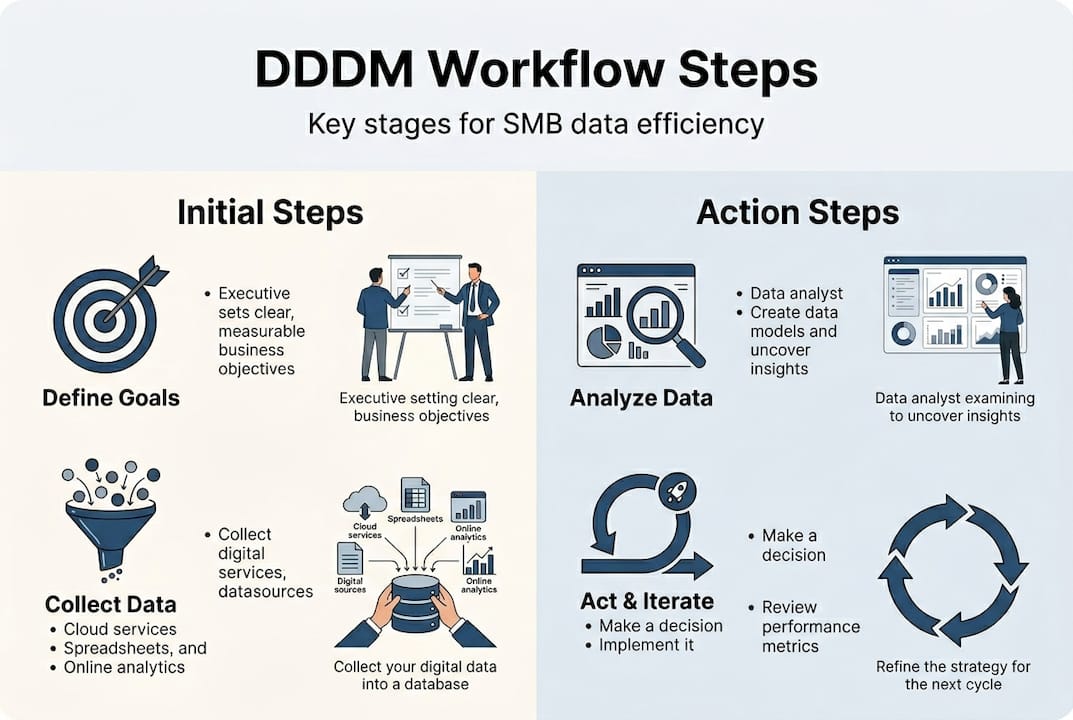
Your data sources will typically include internal systems such as your CRM, ERP platform, point-of-sale records, and marketing channel data from email campaigns, paid ads, and social media. External benchmarks and industry reports round out the picture. The goal is a unified view, not isolated snapshots.
On the tools side, you have strong options at every budget level. Power BI and Tableau handle visualization and reporting for businesses that want desktop or cloud-based dashboards. Google Looker Studio offers a free entry point. For cloud analytics tools with built-in AI features, platforms like Microsoft Azure and Google Cloud provide scalable options that grow with your data needs.
| DDDM workflow step | Recommended tool |
|---|---|
| Define objectives | Spreadsheets, OKR software |
| Collect data | CRM, ERP, marketing platforms |
| Prepare and clean | Python, Excel, OpenRefine |
| Analyze | Power BI, Tableau, Looker Studio |
| Visualize and interpret | Dashboard tools, AI analytics |
| Implement decisions | Project management software |
| Measure outcomes | KPI trackers, analytics dashboards |
| Iterate and improve | Workflow automation platforms |
Before you launch, confirm you have these essentials in place:
- A clearly defined business goal tied to at least one measurable KPI
- Access to at least one reliable internal data source
- A software subscription or free-tier tool for analysis
- A designated person or team responsible for data ownership
- A review cadence, weekly or monthly, to assess progress
Exploring AI data analysis for SMBs can also help you identify which tools align with your current tech stack before committing to a platform. Similarly, reviewing the best AI tools for small business gives you a practical shortlist to evaluate.
Pro Tip: Start with just one or two KPIs. Trying to measure everything at once leads to confusion and stalled progress. Master one metric, prove the value, then expand.
Collect, clean, and integrate your data: Setting up for actionable insights
With all tools and requirements in place, it is time to tackle your data sources and ensure they are reliable. Raw data is rarely ready to analyze. It contains duplicates, missing values, inconsistent formatting, and outdated records that distort every insight you try to extract.
Here is a practical step-by-step process for getting your data ready:
- Identify the specific data you need based on your defined KPIs.
- Locate each source, whether that is your CRM, sales platform, or marketing tool.
- Export or connect live data feeds using API integrations where possible.
- Clean the data by removing duplicates, correcting errors, and standardizing formats.
- Integrate all sources into a single unified view using a data warehouse or integration platform.
- Document your data sources and update schedules for future reference.
Data quality is not optional. SMBs should target 98% data accuracy as a baseline, handling integration issues and data silos before moving to analysis. A single corrupted dataset can skew your entire forecast.
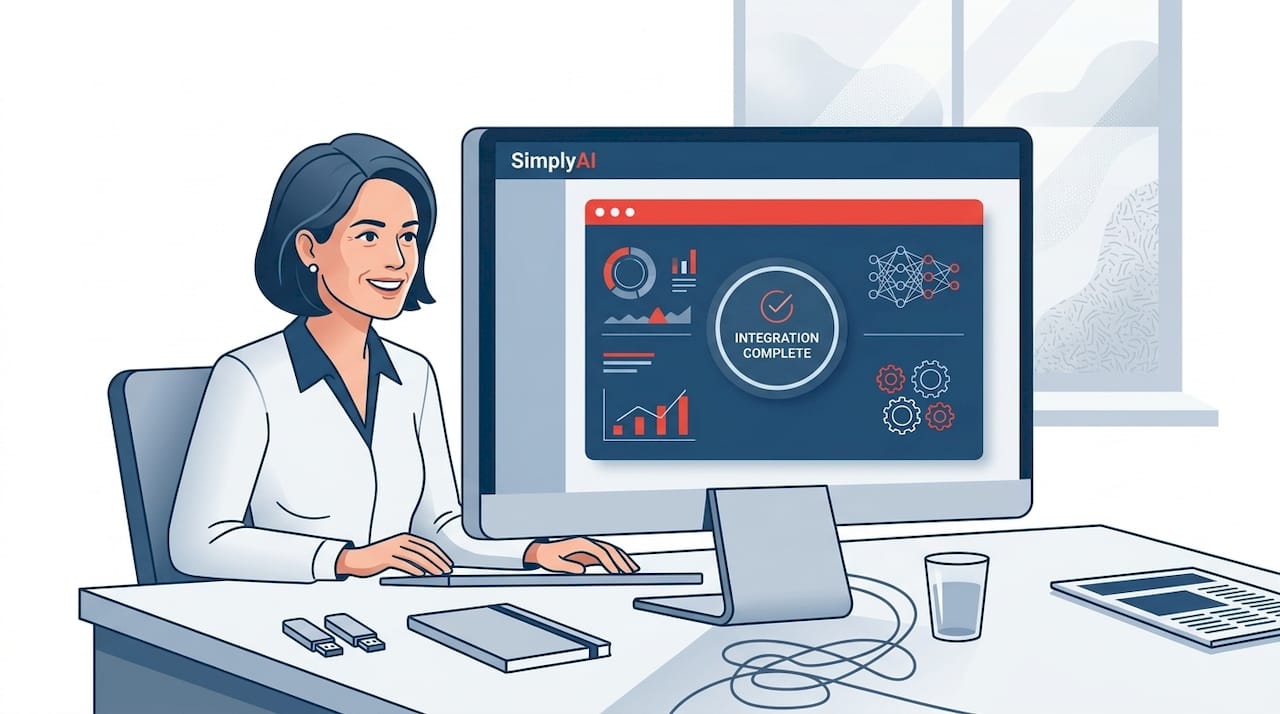
The difference between manual and AI-driven integration is significant, both in time and reliability:
| Factor | Manual integration | AI-driven integration |
|---|---|---|
| Time to integrate | Hours to days | Minutes to hours |
| Error rate | High (human error) | Low (automated validation) |
| Scalability | Limited | High |
| Cost | Labor-intensive | Tool subscription cost |
| Update frequency | Periodic | Real-time or scheduled |
Understanding the different automation types for SMB efficiency helps you choose the right integration approach for your business size and data volume. Some SMBs benefit from simple scheduled exports, while others need real-time API connections.
You can also reference the DDDM workflow guide for detailed guidance on structuring your data pipeline from collection through preparation.
Pro Tip: Use cloud-based integration tools like Zapier, Make, or native CRM connectors to automate data syncing. Schedule a monthly data quality audit to catch issues before they compound.
Analyze and visualize: Turning data into decision-ready insights
With your data organized and integrated, it is time to extract insights that inform quality decisions. Analysis without visualization is like reading a map in the dark. The right charts and dashboards make patterns obvious and decisions faster.
Choosing your analytics tool depends on your team's technical comfort and your data complexity. Cloud platforms like Google Looker Studio or Microsoft Power BI offer built-in AI features that surface anomalies and trends automatically. Desktop tools like Tableau give more control for advanced users. Many CRM and marketing platforms now include native analytics that require no additional software at all.
Different visualization types serve different business purposes:
- Line charts track trends over time, ideal for revenue, traffic, or customer growth.
- Bar charts compare categories, useful for product performance or regional sales.
- Heatmaps reveal concentration patterns, great for website behavior or support ticket volume.
- Funnel charts show conversion drop-off at each stage of a sales or onboarding process.
- KPI dashboards consolidate your most critical metrics into a single, real-time view.
The results from AI-powered analytics speak for themselves. SMBs using AI analytics report a 32% reduction in reporting time, 28% improved forecast accuracy, and 71% report measurable revenue growth. These are not theoretical projections. They reflect what happens when businesses stop guessing and start reading their own data.
For broader context on applying these tools strategically, AI-powered business strategies outlines how analytics integrates with growth planning. If you are newer to the concept, AI for small business growth provides a solid foundation.
You can also review analytics best practices to understand how other SMBs structure their reporting workflows for maximum clarity.
Pro Tip: Limit your primary dashboard to five or fewer metrics. More than that and attention fragments. Visualize only what connects directly to your top KPIs, and create secondary reports for deeper dives.
Act, measure, and iterate: Making decisions and optimizing your workflow
Once you have drawn insights from your analysis, the real impact happens as you execute and refine decisions based on measurable results. Data without action is just an expensive hobby.
Here is a practical action sequence for moving from insight to outcome:
- Interpret findings by identifying the single most actionable insight from your analysis.
- Choose a course of action that directly addresses the insight, with a clear hypothesis.
- Implement the solution using your existing tools, teams, or automation workflows.
- Measure the impact against your predefined KPIs within a set time window.
- Adapt the process based on what the results reveal, and begin the next iteration.
Data should inform decisions, not make them. For high-stakes choices involving people, partnerships, or major investments, human judgment and contextual knowledge must remain part of the process. AI and analytics reduce uncertainty. They do not eliminate it.
Data-driven firms are 23x more likely to acquire customers and 5% more productive than competitors relying on intuition alone. That advantage compounds over time as each iteration improves the workflow.
Still, common mistakes can derail even well-designed workflows. Watch for these:
- Confusing correlation with causation: Two trends moving together does not mean one causes the other. Validate before acting.
- Neglecting human factors: Employee behavior, customer psychology, and market context do not always show up in dashboards.
- Skipping the measurement phase: Without tracking outcomes, you cannot distinguish a successful decision from a lucky one.
- Over-automating too fast: Automating a broken process just produces broken results faster.
Reviewing an essential AI checklist before scaling your workflow helps you avoid the most common implementation errors. For workflow structure, the workflow optimization tips resource offers additional frameworks for refining your iteration cycle.
Our take: Why most SMBs fail (and succeed) with data-driven workflows
Here is something most guides will not tell you: the technology is rarely the problem. The real obstacles are organizational, not technical.
Most SMBs that struggle with data-driven workflows fall into one of three traps. They collect data without a clear question in mind, so the analysis produces noise instead of direction. They build dashboards nobody checks because the insights do not connect to daily decisions. Or they automate before establishing data quality, which amplifies errors rather than reducing them.
The businesses that succeed share a different pattern. They start narrow, picking one process with a clear pain point and measurable outcome. They involve the people closest to that process in the design. And they treat the first deployment as a learning exercise, not a final solution.
This matters because 58% of first AI deployments fail, but 89% succeed on retry. The gap between failure and success is almost always a better-scoped pilot and stronger human oversight, not a different tool.
True success with data-driven workflows means blending AI precision with human experience. AI personalization for SMBs illustrates how this balance plays out in customer-facing contexts, where data informs the strategy but people still shape the relationship.
Unlock AI-powered workflow automation with SimplyAI
Building a data-driven workflow is a significant step, and you do not have to figure it out alone. SimplyAI specializes in helping SMBs move from scattered data and manual processes to streamlined, AI-powered operations that deliver real, measurable results.

Whether you need end-to-end AI automations for workflow design, intelligent AI agents for business that act on your data autonomously, or inspiration from our AI prompts gallery to accelerate your team's productivity, SimplyAI has the tools and expertise to match your ambition. The path from gut-driven guesswork to confident, data-backed decisions starts with the right implementation partner.
Frequently asked questions
What is a data-driven decision making workflow for SMBs?
It is a structured iterative process where business decisions are informed by data insights at every stage, from defining objectives through measuring outcomes, using automation and analytics tools to improve efficiency and accuracy.
How can AI improve data-driven workflows for small businesses?
AI tools automate data gathering, cleaning, and analysis, dramatically reducing manual effort. Case studies show 73% manual work reduction and approximately 10 hours per week saved for SMBs that implement AI-driven workflows.
What challenges do SMBs face when adopting data-driven workflows?
The most common obstacles include data silos, poor data quality, skill gaps, and analysis paralysis. Starting with small pilots and maintaining human oversight for complex decisions significantly improves adoption success rates.
What kind of ROI can SMBs expect from data-driven decision making workflows?
SMBs using AI analytics achieve a median 4.2x ROI over three years, alongside 32% faster reporting and 71% reporting measurable revenue growth, making it one of the highest-return investments available to small businesses.