

TL;DR:
- Automate repetitive, low-value tasks to boost productivity and customer satisfaction.
- Select AI tools based on integration, scalability, and AI capabilities; test workflows thoroughly.
- Focus on cultural change and staff involvement to ensure sustained success of automation initiatives.
Every hour your team spends manually entering data, chasing approvals, or copy-pasting information between systems is an hour not spent on growth. For small and medium-sized businesses, these friction points compound quickly, eroding both productivity and customer satisfaction. The good news is that AI-driven workflow automation is no longer reserved for enterprise giants with massive IT budgets. Today, practical tools and frameworks exist that allow any business to systematically eliminate bottlenecks, reduce errors, and deliver faster, more consistent customer experiences. This guide walks you through exactly how to do it.
Table of Contents
- Identify workflow bottlenecks and prioritize for automation
- Choose the right AI and automation tools for your needs
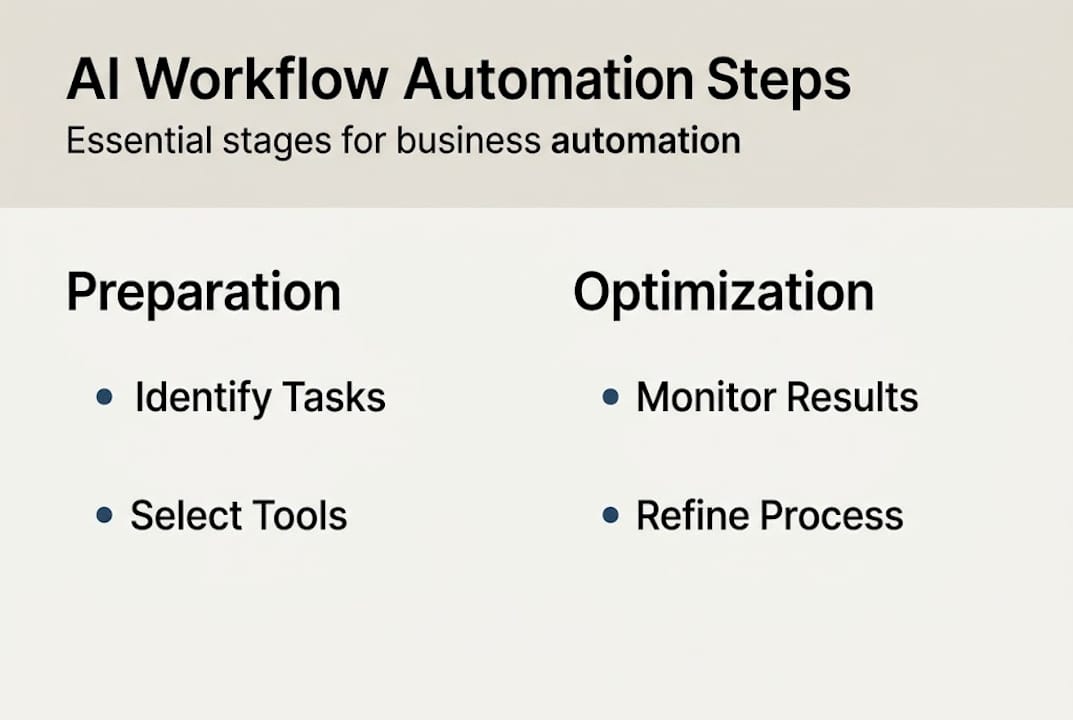
- Map out and implement AI-powered automated workflows
- Monitor, troubleshoot, and continuously optimize your workflows
- The real secret to sustainable AI automation
- Accelerate your automation journey with SimplyAI solutions
- Frequently asked questions
Key Takeaways
| Point | Details |
|---|---|
| Target the right tasks | Automate repetitive tasks first and use AI for complex, high-value processes. |
| Pick the best tools | Choose no-code tools for simple needs or full platforms for deeper automation. |
| Iterate after launch | Continuously monitor, troubleshoot, and refine your workflows for lasting results. |
| Prioritize people and change | Engage staff early and manage change to ensure long-term automation success. |
Identify workflow bottlenecks and prioritize for automation
Before you automate anything, you need a clear picture of where your business is losing time and money. Start by mapping your core workflows: sales, customer service, invoicing, onboarding, and fulfillment. Then look at your support processes: scheduling, reporting, internal communications, and compliance tracking. The goal is to surface the tasks that are repetitive, high-frequency, and rule-based, because those are the prime candidates for automation.
A useful mental model is to separate tasks into two categories. First, there are low-value, high-frequency tasks like data entry, email routing, and appointment reminders. These are ideal for full automation. Second, there are high-value tasks that require judgment, like customer escalations or pricing decisions. These are better suited for AI augmentation, where the system assists rather than replaces the human. As Harvard Business School notes, the right approach is to automate high-frequency low-value tasks and augment high-value ones with AI decisioning.
Once you have your list, prioritize using three criteria: urgency (is this causing daily pain?), ROI (how much time or money does fixing it save?), and implementation effort (how complex is the automation?). Plot each candidate on a simple grid and focus first on high-urgency, high-ROI, low-effort items. These quick wins build momentum and internal confidence.
Warning: Never automate a broken process. If a workflow is unclear, inconsistently followed, or produces frequent errors, fix the process first. Automating chaos only produces faster chaos.
Pro Tip: Interview the people who actually do the work. Frontline employees often know exactly where the friction is, and their input will save you weeks of analysis.
If you want a deeper foundation before selecting tools, understanding business intelligence and AI will help you see how data visibility connects to smarter automation decisions.
- List all recurring tasks across departments.
- Tag each as "automate" or "augment" based on complexity.
- Score each by urgency, ROI, and effort.
- Select the top three candidates for your first automation sprint.
Choose the right AI and automation tools for your needs
Once you know which processes to automate, the next step is selecting the right AI automation tools to fit your needs and resources. The market breaks down into three broad categories: no-code platforms, low-code platforms, and integrated enterprise suites.
No-code tools like Zapier and Make.com let non-technical users build automations visually, connecting apps through pre-built triggers and actions. They are excellent for point solutions: automating a single handoff between two systems. Low-code platforms offer more flexibility, allowing custom logic while still reducing the need for full development resources. Integrated suites like HubSpot and Workday go further, embedding automation and AI directly into CRM, HR, and finance workflows. As Workday explains, no-code and low-code tools work well for point solutions, while integrated platforms handle end-to-end automation with AI decisioning on unstructured data.
| Tool | Type | Best for | AI capabilities |
|---|---|---|---|
| Zapier | No-code | App-to-app triggers | Basic conditional logic |
| Make.com | No-code/Low-code | Complex multi-step flows | Data transformation |
| HubSpot | Integrated suite | CRM and marketing automation | Lead scoring, content AI |
| Workday | Integrated suite | HR and finance workflows | Predictive analytics |
When evaluating any tool, check four things. Does it connect to the systems you already use? How steep is the learning curve for your team? Can it scale as your business grows? And what level of support and documentation does the vendor provide?
For a broader view of what is available, the best AI tools for small business resource covers a wide range of options across categories. You should also review the different automation types for SMBs to understand which approach fits your operational model.
Key AI capabilities to look for in any platform include intelligent data extraction from documents and emails, rule-based and machine-learning decisioning, natural language processing for customer interactions, and native integration support with your existing tech stack. Future-proofing matters here. Choose tools that are actively investing in AI features, not just basic rule-based automation.
Map out and implement AI-powered automated workflows
With the right tool selected, it is time to translate your process insights into an actual automated workflow. This is where planning pays off. Rushing into configuration without a clear map is one of the most common reasons automation projects stall.
Follow these steps to build your first workflow:
- Map the current process. Document every step, decision point, and handoff in the existing workflow. Include who does what and what data moves between steps.
- Design the automated version. Identify which steps the AI or automation engine will handle, which require human review, and where exceptions should be flagged.
- Connect your data sources. Link the relevant systems, whether that is your CRM, email platform, spreadsheet, or database, so data flows automatically between them.
- Set up AI decisioning. Configure rules or train models to handle unstructured inputs. For example, AI decisioning on unstructured data can classify incoming support emails and route them to the right team without human triage.
- Test with real data. Run the workflow using actual business data, not just sample inputs. Edge cases only appear when the system encounters real-world variation.
- Deploy and refine. Launch to a small user group first. Collect feedback, monitor outputs, and iterate before full rollout.
Pro Tip: Consider using an agentic AI framework for end-to-end workflows. AI agents can autonomously handle multi-step tasks, like qualifying a lead, updating the CRM, and scheduling a follow-up, without human intervention at each stage.
Here is an example workflow setup for a customer onboarding process:
| Step | Action | Tool | AI role |
|---|---|---|---|
| New signup detected | Trigger workflow | Zapier | None |
| Extract customer data | Parse form inputs | Make.com | Data extraction |
| Score customer profile | Assess fit | HubSpot | Lead scoring model |
| Send welcome sequence | Email automation | HubSpot | Content personalization |
| Flag high-value leads | Notify sales rep | Slack integration | Decisioning |
Involving end-users during testing is not optional. The people who will use the workflow daily will catch problems that no QA checklist will surface. Their early buy-in also smooths the transition when you go live. For more on using AI data analysis to inform your workflow design, that resource provides a strong foundation.
Monitor, troubleshoot, and continuously optimize your workflows
After launching your first automated workflow, strong monitoring and optimization strategies are what separate a one-time project from a lasting competitive advantage. Automation is not a set-it-and-forget-it solution. Business conditions change, data formats shift, and integrations break.

Start by defining your key performance indicators before launch, not after. Track processing speed (how long does the workflow take compared to the manual baseline?), error rates (how often does the automation fail or produce incorrect outputs?), and user satisfaction (are the people interacting with the workflow finding it helpful or frustrating?). These three metrics give you a complete picture of both technical and human performance.
Common problems to watch for include error loops where a failed step retries indefinitely, missing data fields that cause downstream steps to break, and integration failures when a connected app updates its API. Each of these has a fix, but you need visibility into the workflow logs to catch them early.
Optimization techniques that deliver consistent results include fine-tuning conditional rules to reduce false positives, retraining AI models when input data patterns change, updating integrations after platform version changes, and adding exception-handling paths for edge cases the original design missed.
Governance matters as much as technology. As Harvard Business School warns, risks in governance, integration, and change management are among the most significant challenges SMBs face when scaling automation. Assign clear ownership for each workflow and establish a review cadence.
Pro Tip: Schedule a quarterly workflow review with stakeholders from each affected department. What worked at launch may not work six months later, and involving the right people keeps optimization proactive rather than reactive.
For a broader set of automation tips with AI, that resource covers advanced optimization strategies worth exploring as your automation program matures.
The real secret to sustainable AI automation
Most articles about AI workflow automation focus entirely on tools and tactics. What they rarely address is the single biggest reason automation initiatives fail in small and medium-sized businesses: people, not products.
The technology is genuinely accessible now. The harder challenge is cultural. When you introduce automation, you are changing how people work, what they are responsible for, and sometimes what their role looks like. Without transparency and early involvement, even the best-designed workflow will face quiet resistance that undermines adoption.
The businesses that see lasting results treat workflow improvement as a culture change, not an IT upgrade. They bring staff into the process from day one, explain the reasoning behind each automation, and create space for feedback. They also invest in training so employees feel empowered by the new tools rather than threatened by them.
One surprising misconception we encounter often is the belief that AI automation is "plug and play." It is not. Every meaningful automation requires process clarity, data quality, and human judgment to configure and maintain. The organizations that succeed are the ones that commit to ongoing learning and iteration, not just a one-time deployment.
If you are also thinking about how AI can drive growth beyond operations, the case for AI for lead generation shows how the same mindset applies to revenue-generating workflows.
Accelerate your automation journey with SimplyAI solutions
Implementing AI-driven workflow automation is one of the highest-leverage investments a growing business can make, but navigating tools, integrations, and process design on your own takes time you may not have.

SimplyAI designs and implements customized automation solutions built specifically for small and medium-sized businesses. From AI automation services that eliminate manual work across your operations, to AI-powered agents that handle complex multi-step tasks autonomously, we provide the expertise to get it right the first time. You can also explore our library of AI prompts to accelerate your team's day-to-day productivity. Let us help you move from manual processes to measurable results.
Frequently asked questions
What is the best starting point for automating small business workflows?
Begin with the repetitive, time-consuming tasks your team handles daily, such as data entry or email routing, and build confidence with quick wins before tackling more complex processes. High-frequency low-value tasks are the proven starting point for sustainable automation programs.
Which AI tools work well for SMB workflow automation?
No-code tools like Zapier and Make.com handle simple app-to-app automations effectively, while integrated platforms like HubSpot or Workday are better suited for businesses that need end-to-end workflow management across CRM, marketing, or HR.
How do I measure the impact of workflow automation?
Track three core metrics: processing speed compared to your manual baseline, error rates within the automated workflow, and satisfaction scores from the team members and customers interacting with it. Together, these reveal both technical performance and real-world value.
What risks should I watch out for as I automate?
The most common risks involve governance and change management challenges, including unclear process ownership, integration failures when connected systems update, and staff resistance when automation is introduced without proper communication or training.