

TL;DR:
- Most businesses fail to automate effectively because they neglect thorough workflow audits beforehand. Focusing on high-volume, rule-based tasks with measurable impact enables rapid automation wins that build momentum. Incremental implementation, proper measurement, and human oversight are essential for scalable success.
Repetitive work is quietly draining your business. Research shows that employees spend up to 40% of their time on manual tasks that could be automated, which means nearly half of your team's capacity is tied up in work that produces no competitive advantage. Learning how to reduce manual tasks is not a nice-to-have anymore. It is one of the most direct levers you can pull to accelerate growth, lower costs, and free your people for the work that actually moves the business forward.
Table of Contents
- Key Takeaways
- How to reduce manual tasks: audit your workflows first
- Choosing the right tools for the job
- Implementing automation step by step
- Measuring success and scaling your results
- My honest take on where most businesses go wrong
- How Simplyai helps you reduce manual work at scale
- FAQ
Key Takeaways
| Point | Details |
|---|---|
| Audit before automating | Map every manual touchpoint in your workflows before selecting any tool or technology. |
| Prioritize by ROI potential | Target high-frequency, rule-based tasks first for the fastest measurable gains. |
| Match tools to task complexity | Use no-code platforms for simple flows and AI agents for tasks with changing decision criteria. |
| Implement in phases | Roll out automation one process at a time to reduce risk and build team confidence. |
| Measure and scale | Track time saved, error rates, and intervention frequency to justify expanding your automation efforts. |
How to reduce manual tasks: audit your workflows first
The single biggest mistake business owners make is jumping straight to tools before understanding where their time actually goes. You cannot automate what you have not mapped. Start with a workflow audit.
Walk through every department and document the manual touchpoints. What does your team do more than three times a week? Where do errors cluster? Which tasks require a person to copy information from one system to another? These questions surface the real waste. Good automation candidates share a profile: they are high-volume and rule-based, occur more than three times a week, and consume at least 15 minutes per occurrence. Data entry, invoice processing, email triage, appointment scheduling, and report generation consistently top that list.
Once you have your list, score each task on two axes: frequency multiplied by time spent, and error rate or business impact when the task goes wrong. Tasks that score high on both dimensions belong at the top of your priority list. This gives you an objective ranking rather than acting on instinct or whoever complains loudest.
- Data entry and database updates
- Generating and sending recurring reports
- Lead routing and CRM record updates
- Invoice creation and payment follow-ups
- Internal approval and notification workflows
Pro Tip: Before scoring tasks, collect two weeks of actual time data using a simple spreadsheet or time-tracking tool. Perceived time spent and actual time spent are often very different, and decisions made on inaccurate data produce poor automation priorities.
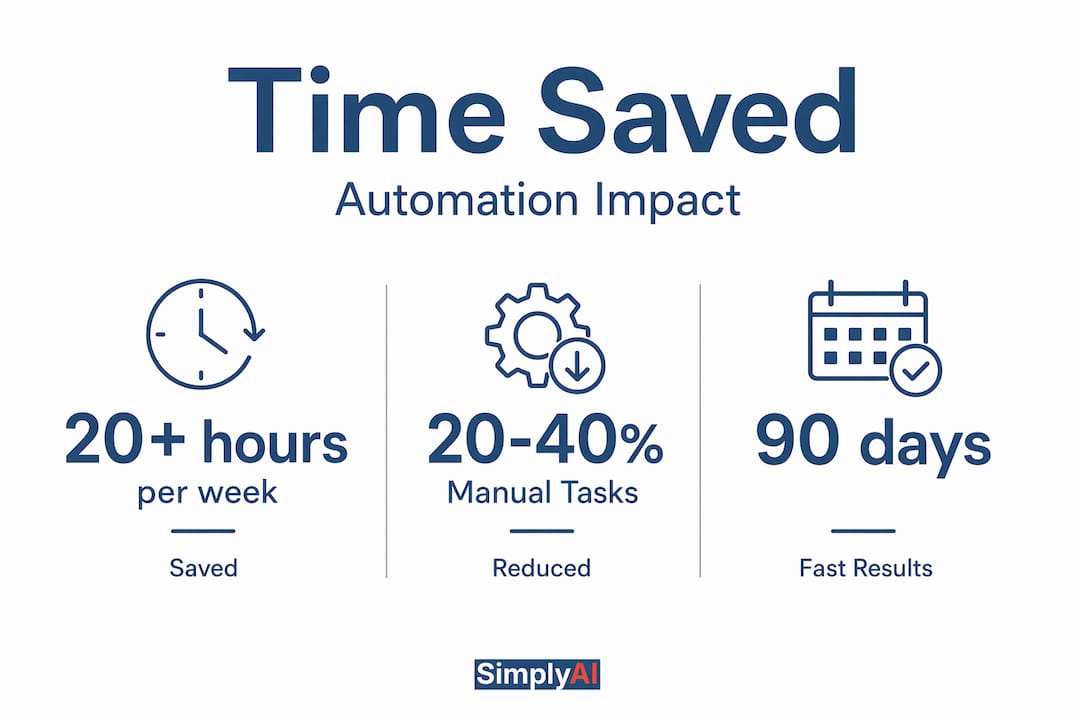
According to the same framework, automation frameworks can save teams more than 20 hours per week per process once fully deployed. That number makes the audit phase worth every minute you invest in it.
Choosing the right tools for the job
The technology options for reducing busy work have expanded dramatically, and the category you choose matters as much as the specific product. There are three primary layers to understand.
Workflow orchestration tools connect your existing applications and move data between them based on triggers and conditions. Think of them as the connective tissue between your software stack. No-code and low-code platforms let non-technical staff build and modify those connections without writing a single line of code. AI agents sit at the top of the stack, handling tasks that require judgment, not just routing. They can read unstructured inputs, make decisions, and adapt to changing instructions without requiring constant code updates.
Processes with frequently changing decision criteria are poor candidates for static rule-based automation. They need AI-driven agents that adapt autonomously, reducing the technical debt that kills most automation programs over time. Effective automation stacks pair orchestration for data movement with AI agents for exception handling and complex decisions.
| Tool Category | Best For | Scalability | Technical Skill Needed |
|---|---|---|---|
| No-code workflow tools | Simple, rule-based task automation | Moderate | Low |
| Low-code platforms | Custom integrations, moderate complexity | High | Medium |
| AI agents | Decision-heavy, adaptive processes | Very High | Low to Medium |
| Custom API integrations | Enterprise-scale, deep system connectivity | Very High | High |
For most small and mid-sized businesses, starting with a no-code platform delivers fast wins. You get automation running within days rather than months, your team gains confidence with the technology, and you generate real data on time savings before committing to more complex builds. The right automation tools for e-commerce and other sectors increasingly sit in the no-code and AI-agent categories precisely because they lower the barrier to entry.
Pro Tip: When evaluating any automation platform, test its native integration list against your current tech stack before anything else. A powerful tool that cannot connect to your CRM or accounting software creates more manual work, not less.
Implementing automation step by step
Understanding how to automate manual processes in theory is very different from executing it without creating new problems. A phased approach is not just a best practice. It is what separates successful programs from abandoned ones.
-
Map the current process in full detail. Document every step, every decision point, every person involved, and every system touched. Do not skip steps because they seem minor. Edge cases live in the details, and they will break your automation if you ignore them during design.
-
Define triggers, inputs, and outputs for the automated version. What event starts the workflow? What data does it need? What does a successful output look like? Ambiguity at this stage causes failures later. Write it down explicitly.
-
Build in a controlled environment first. Use test data that mirrors production reality, including edge cases and exceptions. Automating one task at a time and testing thoroughly before moving to the next is the method that consistently produces successful scaling, according to practitioners who have deployed these programs at scale.
-
Run a parallel period. For two to four weeks, run the automated workflow alongside the manual process. Compare outputs. Catch discrepancies. Your team will surface edge cases that testing missed, and that information is gold for improving the build.
-
Roll out with clear documentation. Every automation your team relies on needs a plain-language document explaining what it does, what triggers it, what it produces, and what to do when it fails. Without this, the automation becomes a black box that no one trusts.
-
Schedule a 30-day post-launch review. No automation is perfect on day one. Review error logs, check whether the expected time savings are materializing, and adjust rules or logic based on what real usage reveals.
Mapping every step manually and automating incrementally avoids early failures and builds the institutional knowledge your team needs to maintain and expand the program over time. The instinct to automate everything at once is understandable. It almost always produces the opposite of the intended result.
Pro Tip: Assign a named owner to every automated workflow. Ownerless automations quietly break and stay broken because no one feels accountable for monitoring them.

Measuring success and scaling your results
Automation without measurement is just hope. Tracking the right metrics turns your program from an experiment into a business asset you can defend and expand. The three numbers that matter most are time saved per cycle, error rate before and after, and frequency of human intervention required.
Before launching any automation, record your baseline. How long does the manual process take on average? How often does it produce errors? How frequently does someone have to step in to fix a problem? These numbers give you the denominator for your ROI calculation.
- Time saved per week: Compare pre and post-automation cycle times multiplied by weekly frequency
- Error reduction rate: Track exception volumes and manual corrections before and after
- Human intervention frequency: Count how often the workflow requires a person to step in and resolve an issue
- Process cost per cycle: Calculate labor cost per execution to quantify the financial return
Monitoring time saved, error rates, and intervention frequency is the mechanism through which you optimize and justify expanding automation investment. The data also surfaces which automations need tuning and which are performing well enough to replicate in adjacent processes.
The trajectory is real. Businesses that execute this well achieve a 20 to 40% reduction in manual work within the first 90 days, scaling to 60 to 80% reduction within 12 months as automation expands across related workflows. That kind of compounding gain changes what your team can accomplish with the same headcount. Explore automation strategies for SMBs to understand which data-driven approaches produce the most consistent results at your scale.
A practical approach to scaling is the process family model. Once you have successfully automated one type of task, look for related tasks that share the same data sources, the same systems, or the same workflow logic. The marginal cost of automating the second and third processes in a family is dramatically lower than the first, because the infrastructure is already in place.
My honest take on where most businesses go wrong
I have seen a consistent pattern when working with business owners who are serious about reducing manual work. The ones who succeed start with one process, make it work completely, measure it precisely, and then move to the next. The ones who struggle try to map the entire organization and automate it in parallel.
There is a seductive appeal to end-to-end automation. The vision of a business that runs itself is compelling. But in practice, incremental automation builds organizational knowledge and reduces risk in ways that wholesale programs simply cannot. Each completed automation teaches your team something about your processes that you did not know before. That knowledge compounds.
I also want to address something most articles skip: the role of human oversight is not a temporary concession until your automation matures. It is a permanent, intentional design choice. AI-driven automation adapts to changing rules without constant code changes, which is genuinely powerful. But it still needs humans to set direction, review outputs periodically, and catch the edge cases that fall outside the training distribution. The businesses I have seen get the most from automation are the ones that treat it as a tool that extends human judgment, not replaces it.
Start with your highest-frequency, highest-cost manual task. Build it. Measure it. Then use that success story to build organizational momentum for the next one. Review AI workflow optimization for SMBs to understand how to structure that process systematically.
— Theodor
How Simplyai helps you reduce manual work at scale

Simplyai designs and implements AI automations built specifically for small and mid-sized businesses that need real results, not experimental pilots. Whether you are looking to automate data entry, deploy AI agents and workflow automation across your operations, or build CRM and marketing automation that reduces busy work across your entire customer lifecycle, Simplyai delivers solutions calibrated to your existing systems and growth goals. The team handles the technical complexity so your people can focus on higher-value work. If your team is spending too much time on tasks that should not require human attention, Simplyai is built to change that.
FAQ
How do you identify which manual tasks to automate first?
Score your tasks by frequency, time consumed, and error rate. The best automation candidates are high-volume, rule-based processes occurring more than three times a week and consuming at least 15 minutes per execution.
How long does it take to see results from automation?
Most businesses see a 20 to 40% reduction in manual work within the first 90 days of a focused automation program, expanding to 60 to 80% reduction within 12 months as coverage grows.
What is the difference between a workflow tool and an AI agent?
Workflow tools move data between systems based on fixed rules and triggers. AI agents handle tasks that require judgment or involve changing criteria, adapting autonomously without requiring code updates each time the business rules shift.
How do you measure whether automation is working?
Track three core metrics: time saved per cycle compared to baseline, error rate before and after deployment, and how often a human still needs to intervene. These three numbers together give you a clear picture of ROI and where to optimize.
Do you need technical expertise to start automating?
No. No-code and low-code platforms allow non-technical team members to build and maintain automation for most common business workflows. Technical expertise becomes relevant when building custom integrations or deploying AI agents at scale.